

 DownloadMtr Japan Ticket
Get the files on 9Minecraft
Contents (4)
Place and Configure the Machine
Start by placing a 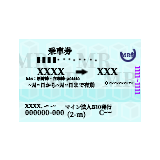 ticket machine block at your station entrance. Hold your setup
 wrench and Sneak + Right Click the machine to open the configuration screen.
Create a Network and Add Lines
In the setup interface, create a new network preset for your transit system. Add your railway lines one by one, then add each station stop to those lines in order. This establishes the route structure the mod uses to calculate fares.
Set Fare Prices Between Stations
Click on pairs of stations to define ticket prices for travel between them. You can set different fares for basic tickets, express tickets, and reserved car tickets. The mod will use these values whenever a player purchases a ticket from this machine.
Test as a Passenger
Once configured, interact with the machine normally (without the wrench) to see the ticket purchase menu. Verify that your lines and stations appear correctly and that fare prices match your settings. Adjust as needed by returning to the setup wrench interface.