

 DownloadMewnicraft
Get the files on 9Minecraft
Accessing Wand Customization
Your 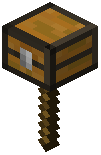 Magic Wand can be visually customized to match your style. Open the chat and type:
`
/preferences wand
`
This opens the wand customization menu where you can browse different visual styles and cosmetic variants.
Choosing Your Style
The menu displays multiple wand skins available to you. Click on any variant to preview it, then confirm your selection. Your wand will immediately update its appearance in your hand and during spell casting.
Applying Your Choice
Your selected wand skin persists until you change it again. You can switch between styles as often as you like—there's no cooldown or resource cost. This is purely cosmetic and doesn't affect spell power or performance.
If you want to adjust specific spell behaviors rather than wand appearance, use /preferences <spell_name> instead to open adjustment menus for customizable spells like Levitato.