
Link Your Bombs to the Bomb Remote and Detonate From a Safe Distance
The  Bomb Remote Controller lets you trigger Nuclear, Hydrogen, Antimatter, industrial and specialty explosives without standing anywhere near them. One remote can hold several bombs.
Linking explosives
1. Place your explosive block where you want the blast. This can be a 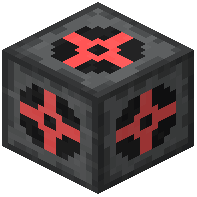 Nuclear bomb, a
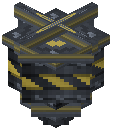 Bunker Buster, a
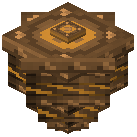 Shaped Charge, a
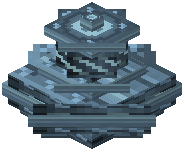 Cryo Charge or any other ordnance block from the mod.
2. Hold the Bomb Remote and right-click the explosive. The bomb is now linked to the remote.
3. Repeat for every other bomb you want on the same remote. You can link explosives in different parts of your world.
4. Open the remote's interface. Every connected bomb block is listed with its exact world coordinates. Check that each bomb you placed appears in the list before you go any further.
Detonating safely
1. In the remote interface, set the fuse time and detonation mode you want. The next guide covers these settings.
2. Travel well away from the blast zone. These bombs produce expanding shockwaves and leave radiation behind, so distance is your main protection.
3. Press the detonation button on the remote.
Ownership note: A remote locks to the first player who uses it. Make sure you are the first to use your own remote. If someone else uses it first, you cannot use it, so keep fresh remotes out of shared chests.