
 DownloadImmersive Engineering
Get the files on 9Minecraft
Contents (3)
Get Blueprints
Blueprints are items that define recipes for the Automated Engineer's Workbench. Find them in loot or craft them. The 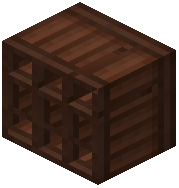 Blueprint Shelf stores and organizes your blueprints so you can browse them. Each blueprint corresponds to a specific recipe, such as machine parts or the
 Revolver assembly.
Set Up the Workbench
Place the Automated Engineer's Workbench and connect it to power with  Aluminium Wire or
 Steel Wire. Insert the blueprint for the item you want to craft. Feed the required materials into the input slots. The workbench assembles the item automatically once power and materials are present. It handles complex recipes that normal crafting tables cannot.
Common Recipes
The workbench produces Advanced Electronic Components,  Circuit Backplane, and machine parts used in the
 Arc Furnace and
 Assembler. It also handles the Revolver assembly line, combining
 Casull Cartridge,
 Armor-Piercing Cartridge, and
 Buckshot Cartridge components. Keep a stock of Steel, Constantan, and Electrum nearby so the workbench does not stall. Use the Blueprint Shelf to swap blueprints quickly between projects.