
How to Batch-Process Resources with Multi-Parallel Machines
When single-recipe machines cannot keep up with resource production, you can upgrade to multi-parallel processing machines. These blocks allow you to process up to ten recipes simultaneously in a single operational cycle.
Setting Up Parallel Machines
1. Use your Alloy Smelter to produce high-tier endgame alloys, such as Melodic Alloy or Stellar Alloy.
2. Craft an upgraded multi-parallel machine, such as the Stellar SAG Mill or an upgraded Alloy Smelter.
3. Place the machine into your power grid. If you are still in the early game, you can generate initial power using the 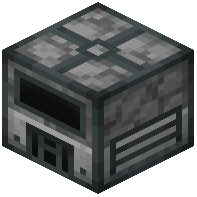 Simple Stirling Generator before transitioning to larger power networks.
4. Feed your raw materials into the machine. A placed Stellar SAG Mill or upgraded Alloy Smelter will automatically batch-craft up to 10 items at once per cycle.
Boosting SAG Mill Output
To get more resources out of every batch cycle in your SAG Mill, craft high-tier alloy grinding balls from the mod's endgame alloys. Place these grinding balls into the dedicated slot inside the SAG Mill user interface to boost your secondary output rates while processing ores and materials.