
Hoglin Hammer Trade Wiki › Guides › How to Choose and Use Hammer Weapons and Custom Enchantments
How to Choose and Use Hammer Weapons and Custom Enchantments
Hammers in the Hoglin Hammer Trade Mod serve as dual-purpose tools: they hit like heavy melee weapons while mining blocks with the speed of a fast pickaxe. Each hammer tier introduces distinct status effects and crowd-control abilities.
Selecting the Right Hammer
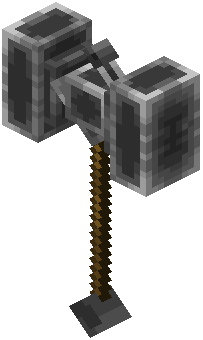 Iron Hammer: A reliable early-game mining tool with pickaxe speed and moderate melee damage.
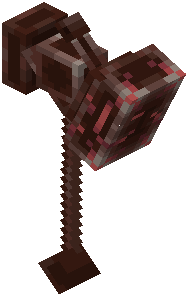 Ancient Hammer: Pulls airborne mobs down to the ground, making it ideal against flying Nether enemies.
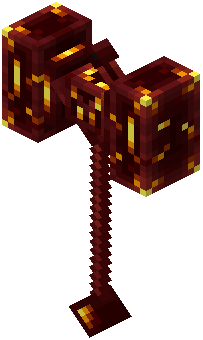 Hellforged Hammer: Ignites struck targets on fire and grants you a Strength boost whenever your health drops low.
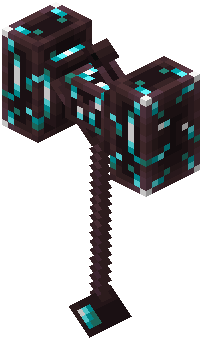 Soulforged Hammer: Coats your swings in soul flames, inflicting both Weakness and Levitation on enemies.
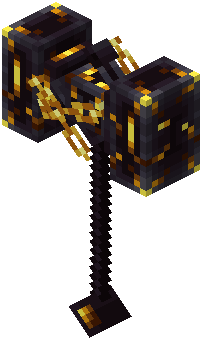 Gilded Banisher: Operates as a fast mining tool while afflicting targets with Slowness, Gilded Stasis, and deadly banishment effects.
Activating Enchantments and Shockwaves
You can modify how your hammers behave in fights by applying the mod's custom enchantments: Knockout, Fortitude, and Torrent.
To trigger the ground shockwave ability:
1. Obtain an Ancient Hammer (such as through piglin bartering).
2. Apply the Torrent enchantment to the hammer at an enchanting table or anvil.
3. Hold the enchanted Ancient Hammer in your main hand and right-click during combat to unleash ground shockwaves against surrounding enemies.