

 DownloadFarmers Delight Contracts Feasts
Get the files on 9Minecraft
Contents (3)
Preparing Your Ingredients and Equipment
1. Read your  contract ticket carefully to see exactly which food items are needed
2. Gather all required ingredients from your farm, storage, or by trading
3. Set up a cooking station with the necessary Farmer's Delight blocks—most contracts requiring higher rewards will need a Cutting Board and Cooking Pot
4. Cook each food item exactly as the recipe requires
Packing and Sealing Your Delivery
1. Craft or find a 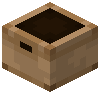 Contract Box (a wooden delivery container)
2. Place the Contract Box on the ground near your cooking area
3. Right-click the box to open it and place all cooked food items inside
4. Make sure you have the exact quantities shown on your ticket
5. Close the box and right-click it again with your contract ticket in hand to seal it
6. Pick up the sealed box—it's now ready for delivery
Claiming Your Reward
Return to the 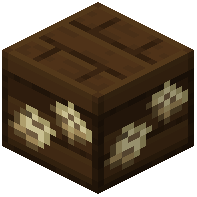 Contract Board and right-click it while holding your sealed delivery box. The board will verify the contents match your ticket, then give you emeralds and experience as your reward.