

 DownloadExposure
Get the files on 9Minecraft
Crafting and Loading the  Camera
Craft a Camera, then craft film to put in it.  Black and White Film is the simplest option;
 Color Film and the High-Sensitivity variants behave the same way but change how the resulting image looks or how well it handles low light. With the Camera in hand, open its interface (right-click or use the keybind shown in the tooltip) and place a roll of film into the film slot. The camera will not expose anything until film is loaded.
Framing and Shooting
Hold the Camera and aim at your subject. Right-click to take a shot. Each exposure consumes one frame of film, so a roll gives you a limited number of pictures before it must be developed and replaced. You can place the Camera on a  Camera Stand to hold a steady angle, which is useful for self-portraits or timed shots. After shooting, the film inside the camera becomes exposed film. Remove it and take it to a
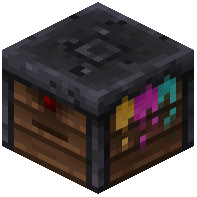 Lightroom to develop it into
 Developed Black and White Film or
 Developed Color Film. Only developed film yields usable Photographs you can view, frame, or store in a
 Photo Album.