
How to Outfit Moving Contraptions with Chairs and Controls
When building moving machines, elevators, or vehicles, keeping your character in place and adding proper lighting and variable controls makes operating the contraption much smoother.
Mounting Chairs for Secure Riding
1. Build your moving contraption frame before assembling it into a moving entity.
2. Place a chair directly onto the contraption deck where you want the operator or passengers to sit.
3. Once the contraption is assembled and moving, interact with the chair to sit down. The chair keeps your character securely seated on the moving contraption so you can ride along with your machine without sliding off.
Adding Headlamps, Pulleys, and Levers
1. Attach a 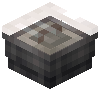 Headlamp to the front face of your vehicle or moving frame to act as a front light. Apply any standard dye to the headlamp to match your contraption's color scheme.
2. If your contraption is a crane or recovery rig, install a 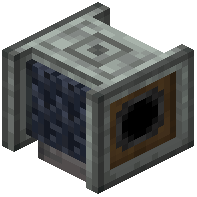 Chain Pulley. When powered, it lowers a
 chain rope with a magnetic attachment at the bottom.
3. Place a 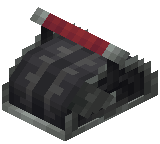 Throttle Lever near your chair if your contraption or its docking station relies on variable redstone levels; you can shift it between signal strengths 0 to 15.
4. Before starting your build, hover over the chair, chain pulley, or throttle lever in your inventory and hold W to watch the in-game Ponder tutorial for exact placement behavior.