
How to Color Code Fluid Networks and Set Up Factory Displays
Managing complex piping and monitoring machine states is much easier when your fluid lines are color coded and paired with clear visual readouts and variable controls.
Dyeing Fluid Equipment
1. Gather standard vanilla dyes in the colors you want to assign to different fluid lines (for example, separating water input from steam output).
2. Hold the dye in your hand and apply it directly to your placed fluid blocks.
3. You can dye fluid tanks, fluid pipes, pumps, valves, and steam engines in any standard color.
4. To support and organize your freshly painted plumbing, wrap metal trusses and brackets around your running fluid pipes and shafts.
Installing Nixie Displays and Throttle Levers
1. Craft and place Nixie boards or large Nixie tubes near your control panels or fluid networks.
2. Configure the Nixie displays to show custom text, symbols, or live factory readouts so you can monitor your operations at a glance.
3. When you need fine-tuned redstone control over valves, pumps, or clutches, place a 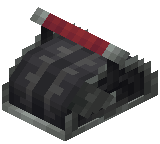 Throttle Lever at your workstation.
4. Adjust the throttle lever to output a specific redstone signal strength anywhere from 0 to 15, giving you exact control over connected redstone components. If you get stuck configuring the boards or levers, hover over either item in your inventory and hold W to view its Ponder scene.