

 DownloadCreate Alloyed
Get the files on 9Minecraft
Powering the Forge
The 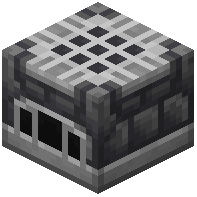 Alloy Forge needs a power or heat source to run. In most Create Alloyed packs it accepts rotational power from Create-style shafts and cogwheels, or it uses a fuel like coal. Check the forge's in-game tooltip or your recipe viewer to confirm which applies in your pack — the block will not process inputs without it.
Feeding Inputs
Insert the two alloy ingredients (copper + tin for bronze, iron + carbon for steel) into the forge's input slots. You can do this by hand, or automate it with hoppers, funnels, or Create's mechanical arms and belts. A common setup is a chest of copper and a chest of tin feeding a funnel into the forge, with a second funnel pulling finished ingots into an output chest.
Automating Output
Once the forge produces ingots, route them onward: into a press for Sheets, into a crafter for Casings, or straight into storage. If you are producing both bronze and steel, use two forges or a filtered routing system so the outputs don't mix.
Efficiency Tips
- Batch your inputs — the forge runs more efficiently when it isn't starting and stopping.
- Put the forge near your copper and iron farms so you aren't hauling ore across the base.
- Use Bronze or Steel Encased Shafts to run power through your alloy build cleanly.
- Label output chests by alloy and form (ingot, nugget, sheet) to avoid crafting mistakes.