
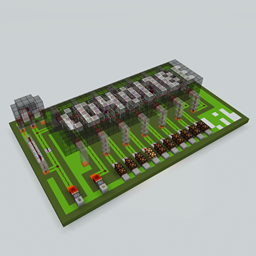
 DownloadCD4017BE Library
Get the files on 9Minecraft
Contents (5)
What the Structure Does
The  Microblock Structure is a block that holds assembled microblocks in the world. Where the
 Microblock Workbench produces the small pieces, the Microblock Structure is the block you place down to build with them. It is a placeable block, not a handheld tool.
Crafting It
The Microblock Structure is made with a shaped crafting recipe (crafting_shaped). The exact grid arrangement matters, so follow the recipe pattern precisely in a crafting table. Once crafted, the block appears in your inventory ready to be placed.
Placing and Building
1. Craft the Microblock Structure.
2. Place it in the world where you want your detailed build to sit.
3. Use microblocks produced by the Microblock Workbench to fill in the structure.
4. Adjust the arrangement until the shape matches your design.
Working Alongside the Workbench
The Structure and the Workbench are used together. You cannot assemble microblocks without first producing them at the Workbench, and you cannot place assembled microblocks without the Structure. Keep both blocks near your build site so you can move between converting blocks and assembling them.
Practical Tips
- Craft the Workbench first so you have a supply of microblocks ready.
- Place the Structure only after you know the footprint of your design.
- Use a single block type for your first build to keep the assembly simple.
- Expand to mixed materials once you are comfortable with the conversion and placement flow.