
How to Use the Juicer and Kitchen Stations
With over 250 foods, ingredients, and blocks in Botanical Harvest Pro Mod, meal preparation takes place across both vanilla crafting tables and dedicated kitchen stations.
Preparing Meals at Crafting Tables
Many custom recipes use a standard vanilla crafting table. You can combine raw crop ingredients, wild plant harvests, grains, and meats straight in the regular crafting grid to create baked goods, hearty dishes, and new green tools.
Making Drinks with the 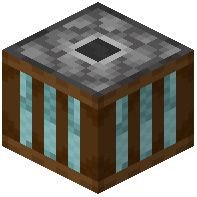 Juicer
To keep your hydration and vitamin meters up, you need to process fresh fruit into drinks using the juicer block.
1. Place the Juicer: Craft and set the juicer down in your kitchen or base area like any other functional workstation.
2. Open the Juicer Interface: Right-click the block to open its dedicated squeezing menu.
3. Insert Fresh Fruits: Place harvested fruits from your inventory into the input slots inside the interface.
4. Collect Your Drinks: Take the finished fruit juices from the output slot. Drinking these restores your hydration meter while supplying vitamins and minerals from the raw fruit.