

 DownloadBeyond Dimensions
Get the files on 9Minecraft
Accessing the Crafting Grid
Your Dimensional Network includes a built-in crafting interface, so you never need to leave your storage screen to make items.
How to Craft
1. Press O to open your storage 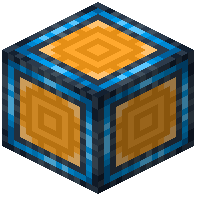 network interface
2. Locate the crafting grid section within the storage screen
3. Search for or manually find the recipe you want to craft
4. Place ingredients from your network into the crafting grid slots
5. The crafted result appears automatically and can be stored back into your network
Integration With Recipe Mods
Your storage network works seamlessly with JEI and EMI recipe viewers. You can:
- Look up recipes while your storage screen is open
- Click recipes to auto-populate your crafting grid with ingredients from storage
- Quickly find what you need without manually searching
This makes late-game crafting much faster—you have access to all your materials and can craft without traveling to a crafting table.