

 DownloadAssorted Decor
Get the files on 9Minecraft
Understanding Slope Shapes
Assorted Decor provides several sloped 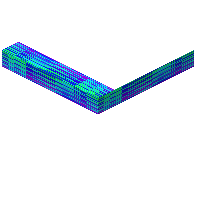 Colorizer blocks: basic slopes, oblique slopes, slanted corners, and full pyramids. These let you build smooth roofs and angled architectural details without jagged edges.
Building a Sloped Roof
1. Craft the slope Colorizer block you need (basic slope for simple roofs, pyramid for peaked designs)
2. Place blocks in a line to form your roof structure
3. Rotate each block to face the correct direction using standard placement mechanics
4. Select a texture with your Colorizer wand (wood, slate, or terracotta work well)
5. Right-click each slope block to apply matching color and texture
Advanced Angled Details
Use oblique slopes and slanted corners to create complex roof intersections, gabled ends, or decorative trim. Combine multiple slope types in the same build for visual interest. Pyramid blocks work especially well for tower tops or accent features.