

 DownloadArs N Spells
Get the files on 9Minecraft
Export Your Spell to a Scroll
Design a custom Ars Nouveau spell in your spell book. Once you're happy with it, place a 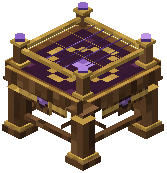 Spell Loom block in your workspace. Right-click it and select your completed spell from the list.
Inside the Spell Loom interface, choose a custom name for your spell, select its school category, and pick an icon that represents it. Confirm your choices to create a physical scroll.
Bind the Scroll to Your Spellbook
Once your scroll is created, perform the  Spellbook Binding ritual. This attaches the scroll to an Iron's spellbook, adding it to your radial spell wheel.
You can bind up to eight custom Ars spells into a single spellbook. After binding, press your spell wheel key (default: V or R) to open the radial menu and select your custom spell to cast.
To swap spells later, sneak and right-click on the spellbook to cycle through attached spells, or use the Spell Loom again to create new scrolls with different configurations.