
How to Learn and Duplicate Items with the Transmutation Table
The 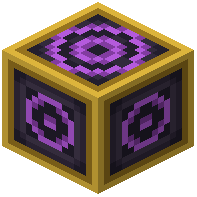 Transmutation Table is the core of this mod. You burn items into EMC (energy), the table remembers what you burned, and you can then spend EMC to create more copies.
Learning an item
1. Place a Transmutation Table in your base. If you would rather carry it with you, hold a  Transmutation Tablet, the portable version.
2. Open the interface. Your learned items appear in the table grid, so this is where your stored item knowledge builds up.
3. Put an item that has an EMC value into the input slot. The table burns it, adds its energy to your EMC total and learns its pattern.
4. Check the grid. The item should now appear there.
Not every item has an EMC value. If something will not burn, it probably has no value, and a server admin can change that in the mod's settings.
Duplicating learned items
1. Open the table or tablet again.
2. Find the item you want in the learned grid.
3. Take it out of the grid. The cost comes out of your stored EMC.
4. Repeat whenever you need more. You do not have to find or craft the item again.
Tips
- Burn surplus junk from mining trips, such as extra stone or spare drops, to build up an EMC reserve.
- Learn useful building blocks and supplies early so you can pull them out on demand.
- If duplication feels too cheap or too expensive, it may be a server setting. EMC values, costs and item taxes can all be adjusted.