
How to Link Ship Systems to the Control Seat
Building a starship structure is only the first step; to actually pilot the vessel and manage its hardware from one chair, you must bind all of your functional blocks into a unified network.
Placing the Cockpit
First, finish assembling your ship structure and attach all the hardware you plan to use, such as engines, batteries, shields, and turrets. Once the frame is ready, place a 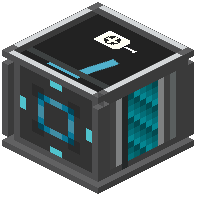 control seat inside your cockpit area. This seat acts as the central hub where you will view your ship HUD and manage every connected part during flight.
Binding Components with the  Linker
To connect your ship parts so they respond to your pilot inputs:
1. Equip the linker item in your hand.
2. Walk around your assembled ship and right-click on each of your thrusters, weapons, shield generators, and batteries.
3. Verify that you have bound every essential system to the ship core.
Once you have right-clicked all of your working components with the linker, sit in the control seat. Your cockpit screen will come online, displaying your linked thrusters, energy shields, and weapons on a single HUD so you can control the entire vessel without leaving your chair.