
Automating 9x9 Crafting Recipes with the Extreme Pattern Encoding Terminal
Setting Up the Extreme Pattern Encoding Terminal
To automate massive recipes that standard systems cannot handle, you first need to connect the specialized Extreme Pattern Encoding Terminal to your existing ME network cables. This terminal is designed to expand your crafting capabilities by giving you access to a massive nine by nine crafting grid right from your storage network.
Encoding and Using 9x9 Patterns
Open the Extreme Pattern Encoding Terminal interface once it is powered and connected to your network. Insert dedicated blank patterns into the terminal inventory. Open Just Enough Items (JEI) alongside your terminal interface to look up the target recipe you want to automate. You can transfer recipe items straight into the pattern grids by clicking the JEI transfer button, or you can manually place the required ingredients into the giant nine by nine grid.
Once the recipe ingredients are correctly arranged in the grid, click the encode button to create an encoded pattern for your big modded recipes. Take your newly encoded pattern and place it inside the matching 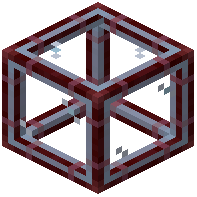 Extreme Molecular Assembler. Ensure this assembler is connected to your network or placed next to an ME pattern provider. Finally, request the crafted item directly from your ME terminal, and your network will handle the rest.