

Gather Your Core Components
Before you can suit up, you need an arc reactor and an armor control chip. Place these into your designated gear slots in your inventory. The arc reactor powers your suit, while the control chip manages deployment and part calls.
Deploy Your Armor
Once equipped, press B to instantly deploy your full armor suit around your body. Your suit will materialize piece by piece, and you'll see the JARVIS heads-up display activate on your screen, showing energy levels, nano stock, and current coordinates.
If you want to call individual armor parts instead of the full suit, hold B to open the radial wheel. This lets you selectively equip specific pieces—useful if you need to conserve energy or repair only damaged sections.
Monitor Your Status
Keep an eye on your HUD. It displays your suit's energy reserves and nanoparticle count. When energy runs low, you'll need to visit a 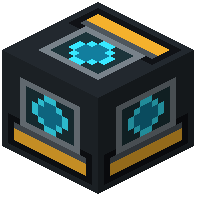 Stark Suit Repair Station to recharge. Your armor absorbs incoming damage through individual plating, so check the HUD regularly to spot cracked or damaged pieces before they fail completely.