
Create and Customize Your First Blueprint
Crafting a Blank  Blueprint
Start by gathering blue dye or lapis lazuli and paper sheets. Arrange eight paper sheets around a single piece of blue dye or lapis lazuli in your crafting table to create a blank Blueprint.
Selecting a Design
Place your blank Blueprint into a stonecutter. The stonecutter interface will display all 26 available designs organized by category. Browse through surface houses like cottages, cabins, and taverns, or explore subterranean modules for underground rooms and connected chambers. Select your desired design—the Blueprint will update to match your choice.
Previewing Before Building
Right-click the ground in your chosen location to place a 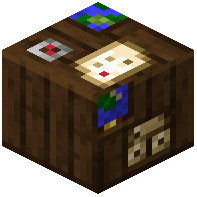 Blueprint Station. This projects a wireframe outline showing exactly where your building will appear and how much space it needs. Walk around the preview to ensure the placement works with your terrain and existing structures. If you're unhappy with the location, break the station and place it elsewhere—your Blueprint remains unchanged and ready to use again.