
Create Your First Custom Sign
Gather Materials
Collect concrete blocks and glowstone dust from your world. These are the base materials needed for sign production in Survival mode.
Set Up a 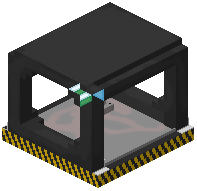 Sign Press Station
Craft a Sign Press Station and place it in your build area. This dedicated crafting table is where you'll produce individual letter and symbol pieces. The Sign Press is compatible with hoppers, so you can automate production by feeding materials into it.
Produce Letters
Use the Sign Press to craft the specific letters, numbers, or symbols you need for your sign. Each piece is a separate item that you'll place individually or as part of a full word.
Place Your Text
Hold your crafted letters and right-click on a solid surface (wall or floor) to place them. Letters snap into position automatically with accurate hitboxes. If you make a mistake, use the undo button to remove recent placements and refund your materials back to inventory.
Next Steps
Once placed, you can paint your letters using a  Paint Brush or add glowing light effects with a
  Wrench tool to complete your custom sign.