
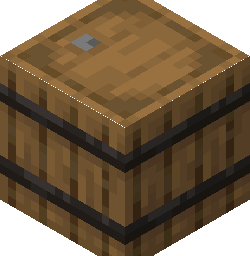
How Bedrock stores loot tables on containers
In Minecraft Bedrock, container blocks like chests, barrels, dispensers, and hoppers have an associated block entity (often called a tile entity in older documentation) that holds their inventory data. Instead of storing a fixed list of items in the `Items` tag, a container can hold a `LootTable` string tag and a `LootTableSeed` integer tag.
When the structure is placed into the world by a feature rule, the `/structure` command, or a Jigsaw block, the container remains empty until someone interacts with it. The moment a player opens the container or destroys it, the game reads the `LootTable` path, evaluates that JSON file from the active behavior packs, populates the inventory slots, and deletes the `LootTable` tag so it never rolls a second time.
Because Bedrock lacks an in-game command like `/data merge block` to edit NBT directly inside the client, attaching a `LootTable` tag to a chest requires either an external NBT editor or a clever workaround using a custom spawn egg with the `save` tag before exporting your `.mcstructure` file.
| NBT Tag | Type | What it does |
|---|---|---|
| LootTable | String | Path to the loot table relative to the behavior pack root (for example, loot_tables/chests/tower_loot.json). |
| LootTableSeed | Integer | Determines the random roll. Leave at 0 so the game generates a fresh random seed per chest. |
Writing the structure loot table
A structure loot table uses the exact same schema as mob drop tables, with one extra function available: `fill_container` is not needed here (that is for item entities), nor is any special header. What makes a chest loot table feel natural is the `empty` entry type and multi-roll pools, which scatter items across random slots instead of packing them neatly into the top-left corner.
Place your loot table inside `BP/loot_tables/chests/` (the subfolder name is up to you, as long as your NBT path matches). Unlike entity files or blocks, loot tables do not have a `format_version` or a namespace identifier inside the JSON; the file path itself is the identifier.
{
  "pools": [
    {
      "rolls": {
        "min": 3,
        "max": 6
      },
      "entries": [
        {
          "type": "item",
          "name": "minecraft:iron_ingot",
          "weight": 15,
          "functions": [
            {
              "function": "set_count",
              "count": {
                "min": 1,
                "max": 4
              }
            }
          ]
        },
        {
          "type": "item",
          "name": "minecraft:bread",
          "weight": 20,
          "functions": [
            {
              "function": "set_count",
              "count": {
                "min": 2,
                "max": 5
              }
            }
          ]
        },
        {
          "type": "item",
          "name": "minecraft:iron_sword",
          "weight": 5,
          "functions": [
            {
              "function": "enchant_with_levels",
              "levels": {
                "min": 10,
                "max": 20
              },
              "treasure": false
            },
            {
              "function": "set_damage",
              "damage": {
                "min": 0.2,
                "max": 0.8
              }
            }
          ]
        },
        {
          "type": "empty",
          "weight": 10
        }
      ]
    }
  ]
}
Method 1: Editing the .mcstructure file directly
The cleanest workflow for most creators is to build the structure in-game, place empty chests where you want them, and export the `.mcstructure` file to your hard drive using a Structure Block in Save mode. Because `.mcstructure` files are uncompressed little-endian NBT files, you can open them directly in any Bedrock-compatible NBT editor.
Once you open the `.mcstructure` file in your NBT editor, navigate down the tree to `structure` -> `palette` -> `default` -> `block_position_data`. Inside `block_position_data`, you will see numbered compound tags corresponding to every block in your build that holds extra data. Find the entry whose `block_entity_data` has an `id` of `Chest` (or `Barrel`).
Inside that `block_entity_data` compound, add a new String tag named `LootTable` and set its value to `loot_tables/chests/ruined_tower.json` ( always include the `loot_tables/` prefix and the `.json` extension). Optionally, add an Int tag named `LootTableSeed` set to `0`. If there is an existing `Items` list tag inside `block_entity_data`, delete it so the chest knows it has not generated its loot yet. Save the file and place it in `BP/structures/`.
Method 2: Pre-filling chests via a loot table function
If you cannot use an external NBT editor, or if you want to place already-configured loot chests by hand while building in Creative mode, you can create a helper loot table that gives you a chest item with the `LootTable` NBT already baked into it. This relies on the `fill_container` loot function.
When you run `/loot give @s loot "chests/give_tower_chest"` in-game, you receive a chest item in your inventory. When you place this chest down inside your structure bounding box, it transfers the `LootTable` string to the placed block entity. Be very careful not to open the chest after placing it! If you open it before saving the structure with your Structure Block, the game will immediately roll the loot, destroy the `LootTable` tag, and save static items into your `.mcstructure` file instead.
{
  "pools": [
    {
      "rolls": 1,
      "entries": [
        {
          "type": "item",
          "name": "minecraft:chest",
          "functions": [
            {
              "function": "fill_container",
              "loot_table": "loot_tables/chests/ruined_tower.json"
            }
          ]
        }
      ]
    }
  ]
}
Testing before world generation
Before wiring your `.mcstructure` into a feature and feature rule for natural world generation, always test the loot roll in a flat world. First, test the JSON syntax of the table itself by running `/loot give @s loot "chests/ruined_tower"` in chat. Notice that the `/loot` command expects the path relative to the `loot_tables/` folder and without the `.json` extension, which is different from the full path stored inside the chest NBT.
Once you know the table drops items, test the structure file by running `/structure load mystructure:ruined_tower ~ ~ ~`. Walk up to the generated chest and open it. Then load the structure a second time a few blocks away and open that chest too; the contents and slot positions should differ between the two chests. If both chests are completely identical, you accidentally triggered the loot roll before exporting the structure.
Which versions this applies to
Applies to all modern Bedrock versions (1.16.0 through 1.21+). Neither loot tables nor .mcstructure files require any experimental toggles.
When it does not work
| What you see | Why | The fix |
|---|---|---|
| The chest inside the generated structure is completely empty when opened, with no error in chat. | The `LootTable` string in the block entity NBT is missing the `loot_tables/` prefix or the `.json` file extension, or the JSON file itself has a syntax error that caused the game to silently reject it on world load. | Ensure the NBT string is formatted exactly like `loot_tables/chests/my_table.json` (forward slashes, full path from BP root, with extension). Turn on the Content Log in Creator Settings and reload the world to check for `[LootTable] Error parsing` messages. |
| Every single structure that generates in the world has the exact same items in the exact same chest slots. | You opened the chest inside your build world before clicking Save in the Structure Block UI, or you set `LootTableSeed` in the NBT to a fixed non-zero number. | Once a chest with a loot table is opened, the `LootTable` tag is consumed and replaced by a static `Items` list. Place a fresh chest (or re-edit the `.mcstructure` NBT to remove `Items` and re-add `LootTable`), and export the structure without opening the chest. |
| Running `/loot give @s loot "loot_tables/chests/ruined_tower.json"` says the loot table does not exist, even though the chest works. | The `/loot` command uses a stripped path format, whereas the `LootTable` NBT tag and the `fill_container` function require the full path. | When testing via the `/loot` command in chat, omit `loot_tables/` and `.json` (for example: `/loot give @s loot "chests/ruined_tower"`). Keep the full path inside your JSON files and NBT data. |
Reference, straight from the game files
Read out of the game itself, so the ids match the version you are building for.