
Set Up Your First Factory Controller Dashboard
Placing and Opening the Controller
Place a 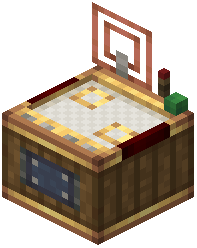 Factory Controller block in your factory area. This single block will replace all your physical gauge walls. Right-click it to open the virtual dashboard screen—a clean grid where all your production monitoring happens.
Adding Your First Gauges
Inside the dashboard, you can place factory gauges directly onto the grid. Select gauges from your inventory and position them where you want. Each gauge monitors a specific machine or production line.
Use the network selector to tune new gauges to your active networks immediately, so they start tracking the right machines without manual configuration.
Connecting Components
Once gauges are placed, connect them by drawing lines between input and output points. These connection arrows show item flow through your factory. You can adjust arrow paths by clicking and dragging them to keep your layout tidy and readable.
Start simple: place one gauge, connect it to a machine, and watch it track production. As you get comfortable, add more gauges and build out your complete factory overview.