
Set Up Feel True Resource Pack with Continuity for Better Block Variation
Install Continuity Mod First
Before enabling Feel True, install a continuity-compatible mod like Continuity or similar texture tiling addon. This mod allows large-scale connected textures and random block variations to display properly across your world.
Enable Feel True in Your Resource Packs
1. Open your resource packs folder in your Minecraft directory
2. Place the Feel True Resource Pack file there
3. Launch Minecraft and go to Options → Resource Packs
4. Find Feel True in the available packs list and click the  arrow to move it to active packs
5. Position it above any conflicting packs in your load order
6. Click Done and restart your world
Verify Textures Are Loading
Enter your world and look at  stone,
 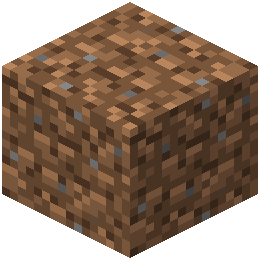 dirt, or wood blocks. You should see varied textures on identical blocks rather than repetitive patterns. If blocks look flat or uniform, check that continuity is enabled in its own settings and that Feel True is positioned correctly in your resource pack order.
The pack works best with shader mods enabled to show off the PBR (physically-based rendering) depth effects on surfaces.