
Create a Spooky Hallway with Atmospheric Details
Building the Hallway Structure
Construct your hallway using the mod's brick and wall blocks. The mod includes variants with a worn, deteriorated appearance perfect for horror settings. Lay checkered floor tiles down the center—alternating colors create a classic pizzeria look that works well in narrow corridors.
Decorating for Atmosphere
Place poster blocks on the walls at regular intervals. The mod provides child-themed 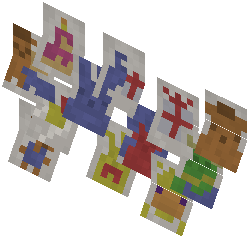 drawings and faded signage that enhance the eerie abandoned restaurant feeling. Space them evenly to guide players through the hallway without overcrowding.
Add the mod's door blocks at hallway intersections or endpoints. Black doors work particularly well for horror maps. Consider leaving some wall sections bare and weathered to emphasize decay.
Lighting and Depth
Use the hallway's length to create tension. Place decorative elements at varying heights to break up monotony. The mod's ceiling pieces can be positioned to create shadowy areas, and you can add lighting strategically to cast shadows and hide details that unsettle players exploring your map.