
How to Speed Up Item Transport with Faster Hoppers
Why Use the Mod's Hoppers
Vanilla hoppers move items slowly and can bottleneck large farms. Essentials Mod adds faster, more efficient hoppers that transfer items at a higher rate, which matters when you have a 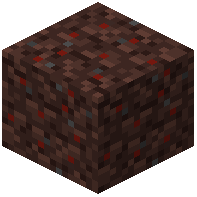 Fertile Soil farm or a mob farm producing stacks of drops per minute.
Swapping In Faster Hoppers
1. Identify the bottleneck in your existing line — usually the hopper directly under a farm or the one feeding a chest.
2. Break the vanilla hopper and replace it with the mod's faster hopper in the same orientation.
3. Point the output face toward the next container or hopper in the chain.
4. Test by dropping a stack of items on top and watching how quickly the destination chest fills.
Chaining for Throughput
For long transport lines, alternate faster hoppers with regular ones only if you must — ideally use the faster variant end to end so no single slow link throttles the whole chain. Place a faster hopper directly beneath your farm's collection point so drops are pulled out immediately, then feed into a chest or a second faster hopper leading to storage. If items still back up, add a second parallel line rather than lengthening one chain.