
How to Make the Attack Indicator Easier to See During Combat
A common complaint with the vanilla indicator is that it is easy to lose against bright terrain or during fast fights. 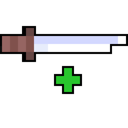 Enhanced Attack Indicator gives you ways to make the indicator stand out without changing combat mechanics.
Adjusting Visibility Settings
Open the config and look for options affecting the indicator's size, position, or contrast. Depending on the style you selected, you may be able to scale the indicator up, move it nearer the crosshair, or change how prominently it is drawn. Increase the size first if you keep missing the fill moment.
Reducing Visual Clutter
- Turn off any extra indicator elements you do not need, such as secondary bars, so only the charge meter remains.
- If your chosen style draws a background, keep it enabled for contrast against light blocks, or disable it if it obscures your target.
- Combine a near-crosshair style with a larger scale so your eyes stay on the target instead of darting to a corner of the screen.
Test the result in a dim area and a bright area, since contrast problems usually show up in one or the other. If the indicator still blends in, switch to a different style entirely — the mod's styles vary in how much outline and fill they use, and one will read more clearly for your setup. All of these changes are client-side and take effect immediately.