
How to Configure When the Attack Indicator Appears
By default the vanilla indicator only shows in certain conditions, which can leave you guessing about your swing timing. 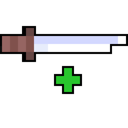 Enhanced Attack Indicator adds display options so you control exactly when the indicator is visible.
Finding the Display Toggles
Open the mod's config and locate the display or visibility section. Here you will find options that govern whether the indicator shows while the attack is recharging, whether it stays hidden when the attack is fully charged, and similar conditions. Each option is independent, so you can combine them to get the behaviour you want.
Practical Setups
- Always-visible charging: enable the indicator so it appears the moment you swing and disappears when the cooldown finishes. This is the most common setup for melee-focused play.
- Hide when full: keep the indicator on during the charge but hide it once the attack is ready, so a full bar never clutters your view.
- Only in combat: if the mod offers a context option, restrict the indicator to when a hostile target is nearby.
After changing toggles, leave the config and swing at a block or mob to confirm the indicator behaves as expected. If it disappears too early or lingers, revisit the same section and adjust the related toggle. Because these are client-side display settings, they affect only your own screen and never change how damage or cooldown works on the server.