
Create Custom Seasoning Blends
Locate the Seasoning Station
Find or craft a 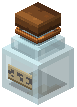 seasoning bottle station. This block serves as your mixing interface for custom spice blends.
Mix Your Spices
Interact with the seasoning station to open its interface. Select three base spices from the available options. You can also add extra ingredients to modify the flavor profile and resulting potion effects. Experiment with different combinations to discover unique buffs.
Shake and Use
Once mixed, you'll receive a handheld seasoning bottle shaker. Hold it and shake for approximately four seconds to activate it. This charges the bottle with multiple uses—you'll get around sixteen applications from a single shake.
Apply to Hot Food
Use the charged seasoning bottle on freshly cooked hot food to apply your custom spice blend. The seasoning grants potion buffs that only activate while the food retains its hot status. Different spice combinations produce different effects, so keep notes on recipes that work well for your playstyle.