
Explore Caves and Underground Areas with Enhanced Visuals
Activate Destiny SURPLUS for Cave Textures
Destiny SURPLUS handles all underground blocks, including cave  stone, ore variants, and deep cavern materials. Make sure this module is active in your resource pack settings. The pronounced surface bumps and realistic stone textures are designed specifically for underground exploration and look best under shader lighting.
Use Shaders to Highlight Cave Details
Enable your shader's ambient occlusion or shadow settings. Underground stone in Destiny has subtle surface details—cracks, mineral deposits, and texture variation—that become visible under directional light and shadow. This transforms generic caves into visually rich environments.
Explore Different Depths
Descend through multiple cave levels. Destiny includes variations for different stone types and depths, so you'll notice texture changes as you go deeper. The realistic 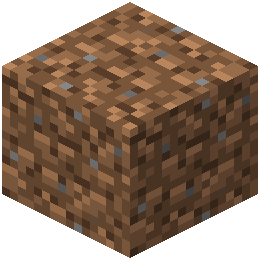 dirt and stone blocks at shallow depths differ from the polished, mineral-rich appearance of deep underground stone.
Visit the Nether and End
Destiny SURPLUS also covers Nether and End blocks with modern, detailed textures. These dimensions use entirely different material palettes, so exploring them shows the full range of the pack's 3000+ texture files and how they adapt to each environment.