
Create Tracks Wiki › Guides › Customize Track Appearance with Dyes
Customize Track Appearance with Dyes
Dyeing Your Tracks
Track color customization lets you match your vehicle's aesthetic or faction colors.
How to Dye Tracks
1. Craft or obtain any Minecraft dye color
2. Hold the dye in your hand
3. Right-click on any  track mount or
 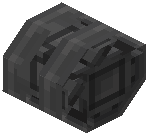 suspension track on your vehicle
4. The track will change to the dye color
5. Repeat for each track section you want to recolor
Cleaning Tracks
If you want to remove dye and return tracks to their default appearance, use water instead of dye. Right-click on a colored track with a water bucket or stand near flowing water and interact with the track to wash it clean.
Tips
Dye tracks section by section to create patterns or camouflage designs. Different dye colors can help identify different vehicle types in multiplayer builds.