
Set Up Redstone Control with Frequency Filters
Understand Signal Isolation
When multiple ships or contraptions use redstone signals nearby, their signals can interfere with each other. The Frequency Filter solves this by assigning unique codes to redstone channels, keeping signals separate and organized.
Configure Your Frequency Filter
Place a Frequency Filter block and open its interface. You'll see a code field where you can enter a custom frequency code. Each unique code creates an isolated redstone channel—signals on frequency A won't affect devices listening on frequency B.
Connect to Ship Components
Attach redstone lines from your thrusters, anchors, or other powered blocks to the Frequency Filter. Set the filter to your chosen frequency code. Only redstone signals matching that frequency will pass through.
Manage Multiple Ships
Assign different frequency codes to each ship's control system. This prevents one ship's 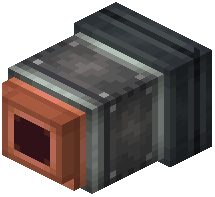 thruster commands from accidentally triggering another ship's anchor or ballast. Organize your codes logically—for example, "Ship1", "Ship2", or use numbers—so you remember which is which.