
Set Up Your First Mechanical Saw for Automated Tree Farming
Gather Materials and Build the Frame
Start by collecting wood and crafting the basic mechanical components. You'll need a 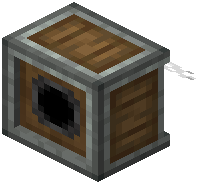 Mechanical Saw block, a power source (like a
  Creative Motor), and some structural blocks to build a frame around your target tree.
Power and Position Your Saw
Place your Creative Motor nearby and adjust its rotational speed using the block menu. Connect it to the Mechanical Saw using the mod's rotational transmission system—the saw needs consistent rotational force to operate. Position the saw so its cutting plane faces the tree trunk you want to harvest.
Activate and Optimize
Once powered, the saw will automatically cut through wood logs. You can stack multiple saws for faster harvesting or arrange them in a line to fell entire trees. Use your  Wrench tool to rotate components if the cutting angle isn't right. Collect the dropped logs from underneath the saw's output area.
Tip: The Ponder tutorial system shows exact placement and rotation requirements—use it to visualize the setup before building.