
Automate Fluid Filling with Smart Faucets and Filters
Place and Power a 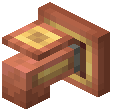 Smart Faucet
Position a Smart Faucet above a container or item you want to fill. Connect it to a mechanical shaft or cogwheel from your Create system to provide rotational power. The faucet will activate and begin dispensing liquid.
Set Liquid Type Filters
Right-click the Smart Faucet to open its configuration menu. Select which liquid type it should dispense. You can restrict it to water, lava, or any other fluid in your system. This prevents cross-contamination and ensures the correct liquid reaches the right place.
Connect to Your Fluid Network
Attach pipes or fluid transporters to the faucet's input port. Link it to your Multi-Fluid Storage Tank or any pressurized fluid source. The faucet will pull from the connected network.
Control with Redstone (Optional)
Disable the faucet temporarily by sending a redstone signal to it. This is useful for stopping fills when containers are full or when you need to redirect flow elsewhere.
Tip: Use multiple Smart Faucets with different filters to fill several item types in parallel, speeding up your production line.