
Troubleshoot a Contraption Not Following Its Route
Verify Route Installation
First, check that your  trip plan item is properly inserted into the Structure
 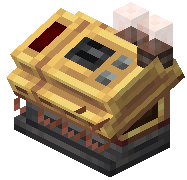 Controller block. Open the controller's interface and confirm the route is loaded and active. If the item is missing or the interface shows no route, reinsert your trip plan.
Check Contraption Assembly
Ensure your contraption is fully assembled and all moving parts are functional. The vehicle must be capable of moving in the direction your route requires. Test manual movement before relying on autopilot.
Inspect the Path
Walk your planned route and look for obstacles—blocks, terrain changes, or other contraptions blocking the way. Remove any barriers that might prevent the vehicle from following waypoints. Verify that waypoints are placed on accessible ground.
Adjust Speed and Waypoints
If the contraption moves but strays from the path, try reducing travel speed for better steering control. Reconfigure waypoints to be closer together, especially around tight turns or complex terrain. Test the route again with these adjustments.