
Create Your First Automated Route
Planning Your Path
Start by deciding where you want your contraption to travel. Walk the route yourself and note key waypoints—corners, stops, and direction changes. This helps you understand the terrain and identify any obstacles.
Setting Up the Route
Use the route planning tool to mark your starting point and destination. Place waypoints along your intended path by clicking at each location where the vehicle should pass or stop. You can adjust waypoint positions after placing them.
Once your waypoints are set, configure the travel speed for each segment. Lower speeds help navigate tight turns; higher speeds work for open roads. Save your route as a  trip plan item.
Installing the Route
Place a Structure 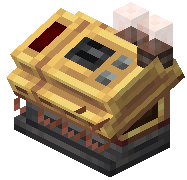 Controller block on your contraption. Open its interface and insert your trip plan item. The controller will now guide your vehicle along the mapped path when activated.
Test your route with the contraption moving slowly first. Watch for collisions or path corrections needed, then refine waypoints as necessary.