
Use a Joystick for Wireless Flight Control
Craft and Place Your 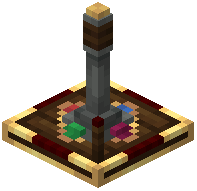 Joystick
Craft a Custom Joystick and mount it in your cockpit. This two-axis controller lets you steer in multiple directions simultaneously—perfect for complex aerial maneuvers.
Set Up Wireless Redstone Links
Joysticks use redstone link frequencies to communicate wirelessly with your wing and thruster controls. Assign a frequency to your joystick, then configure your receiving redstone components (servo controllers, thruster blocks) to listen on the same frequency.
Configure Keyboard Controls
If you prefer keyboard flying, enable keyboard input mode in the joystick settings. Your WASD keys will now control pitch and roll. Enable auto-centering if you want the controls to snap back to neutral when you release keys.
Lock Controls for Autopilot
Send a redstone signal into the joystick to lock it in place. Your ship will maintain its current heading while you leave the cockpit to manage other tasks. This is useful for long-distance travel or cargo operations.