
Stabilize Your Airship with a Gyroscope
Install the 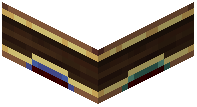 Gyroscope
Place a Gyroscope block in your airship's frame, ideally near the center of mass. This block uses rotational power from your engines to keep your ship level and stable.
Power the Gyroscope
Connect your main engine's rotational output to the gyroscope using shafts or other rotational transmission blocks. The gyroscope needs continuous rotational power to function—more power means stronger stabilization.
Monitor Stabilization Status
Look at the gyroscope block and read the text overlay. It will tell you whether your ship is stable or if it needs more rotational power. If your ship still tilts, increase engine output or add more gyroscopes.
Adjust Stiffness with Redstone
Send a redstone signal to the gyroscope to reduce its stiffness. This lets your ship tilt and turn more freely during maneuvers, then automatically level out when you release the controls. Experiment with signal strength to find the right balance between stability and responsiveness.