
Clear Glass Connected Resource Pack Wiki › Guides › Set Up Clear Glass to Connect Across Multiple Blocks
Set Up Clear Glass to Connect Across Multiple Blocks
Install a Connector Mod
Clear 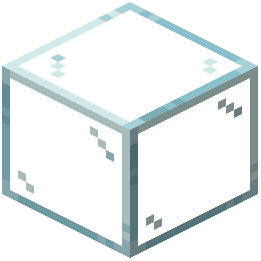 Glass Connected requires either Optifine or the Continuity mod to function. Without one of these, your glass blocks will appear isolated with visible borders and won't link together visually.
Choose one:
- Optifine: A popular optimization mod that includes connected texture support
- Continuity: A lightweight alternative focused specifically on connected textures
Install your chosen mod alongside Clear Glass Connected in your mods folder or through your launcher.
Verify the Connection Works
Once installed, place multiple glass blocks or panes adjacent to each other in your world. The borders between blocks should disappear, and you should see a seamless sheet of clear glass instead of individual tiles.
If blocks still show thick edges or white diagonal streaks:
- Restart your game completely
- Check that your connector mod loaded (look for confirmation in the launcher or mod list)
- Ensure Clear Glass Connected is also enabled
Both mods must be active simultaneously for the connected texture effect to display properly.