
Set Up a Long-Range Target Detection System
Placing Your Sensor Array
Start by choosing your sensor type based on detection range needs. The 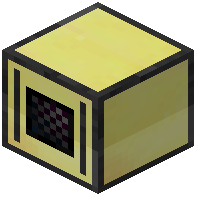 Long Range Optical Sensor reaches the farthest (up to 900 blocks), but requires a narrow field of view. For wider coverage, use the
  Directional Optical Sensor (512 blocks) or standard Optical Sensor (192 blocks). Place your chosen sensor next to a CC:Tweaked computer or wired modem.
Extending Detection with Boosters
If using a Radar, place  Radar Booster blocks nearby to extend its range up to 900 blocks. Each booster increases detection capability, allowing you to track targets through solid blocks and walls—useful for detecting airships or mobs hidden underground.
Writing Your Detection Script
Wrap the sensor using peripheral.wrap() and call scan(true) in a loop. Filter results by mob name, size class, or airship sublevel using setFilter(). Store detection data (type, distance, coordinates) in variables for logging or triggering other systems. Adjust scan frequency with sleep() to balance performance and responsiveness.
Testing Range
Move a test mob or airship away from your sensor and gradually increase distance. Watch your computer output to confirm detections stop at expected ranges. Adjust field of view with setFov() to narrow focus on distant targets or widen for area surveillance.