
Create a Blackjack Table and Manage Dealer Settings
Place and Activate the Table
Position a 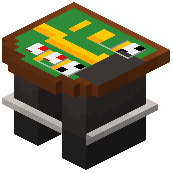 blackjack table block where players will gather. Right-click to open the configuration menu. Unlike slot machines, blackjack tables need a dealer presence—this is where your custom villager worker comes in.
Spawn and Assign a Dealer Villager
Use /casinorocket villager spawn <name> to create a new villager, then position them near your table. Customize their appearance with /casinorocket villager setsuit <name> to give them a casino outfit that matches your theme. Use /casinorocket villager lookplayer <name> to make them face players at the table.
Set Game Rules
Configure bet limits, card deck settings, and dealer hit/stand rules through the table's settings menu. Adjust win payouts for blackjack, regular wins, and pushes. Test a round to ensure the dealer behaves correctly and chip transactions complete properly after each hand.