
Set Up Your First Security Camera
Crafting and Placement
Craft a  Security Camera using the mod's crafting recipe. Place it on any wall or ceiling around your base by right-clicking the surface. The camera will mount flush to the block and can be rotated to face your desired direction.
Linking to Your Monitoring Station
Craft a 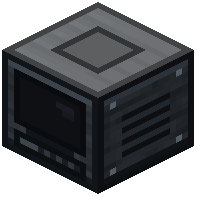 Camera Monitoring Station and place it in a central control room. Right-click the station to open its interface. Your newly placed camera should appear in the station's camera list. Select it and give it a descriptive name (like "Front Gate" or "Chest Room") so you can identify it quickly during monitoring.
Testing Your View
With the camera selected in the station interface, use your movement controls (WASD) to pan and tilt the lens. Adjust the camera's physical position on the wall if needed to get better coverage of the area you want to monitor. Test the zoom controls to ensure you can see important details like chest contents or doorways from the station.