
Creating Patterned Structures with Inventory Gaps
Understanding Inventory Replication
The 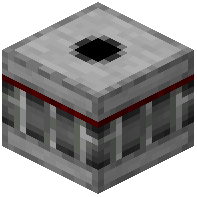 Bridge Maker's most powerful feature is that it replicates gaps in your inventory. If you leave empty slots between your building blocks, the Bridge Maker will create corresponding gaps in the structure it builds.
Setting Up Your Pattern
Arrange your inventory with blocks and intentional empty spaces to create your desired pattern. For example, place blocks in slots 1, 3, and 5, leaving slots 2 and 4 empty. This creates a striped or lattice effect when built vertically.
Building Your Pattern
Place the Bridge Maker block and activate it with redstone. The structure will build upward, faithfully reproducing your inventory layout as a vertical pattern.
Design Ideas
Use this feature to create decorative columns, fence-like structures, or complex architectural elements without manually placing each block. Combine different block types in your inventory for multi-colored patterns, or use transparent blocks to create see-through designs.