
Building a Vertical Bridge Across a Chasm
Setup
Place your 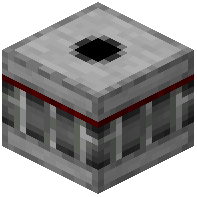 Bridge Maker block at ground level on one side of the chasm. Fill your inventory with the block type you want your bridge to be made of—this is crucial, as the Bridge Maker will replicate your exact inventory pattern, including any gaps.
Activation and Building
Send a redstone signal to the Bridge Maker block. It will begin placing blocks upward in a vertical line, copying the block arrangement from your inventory. The block can build up to a maximum height, so plan your chasm crossing accordingly.
Creating the Bridge Path
Once your vertical column is complete, you can walk across it or use it as a support structure. If you want a wider bridge, place multiple Bridge Maker blocks side by side, each with the same inventory setup, and activate them simultaneously with a redstone line.
Removing Blocks
When you no longer need the bridge, send another redstone signal to the Bridge Maker. It will remove only the blocks it previously placed, leaving your landscape clean. This makes temporary bridges ideal for exploration or construction projects.