
Achieve Seamless Glass Builds Without Visual Borders
Understanding the Visual Change
The Borderless 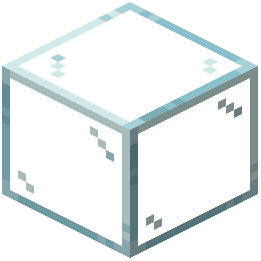 Glass Resource Pack removes the dark grid lines that normally appear on glass blocks in vanilla Minecraft. These borders are texture overlays that create a lattice effect; removing them gives glass a cleaner, more transparent appearance that blends better with your surroundings.
Building with Borderless Glass
1. Place glass blocks as normal — the pack changes only how they render, not their placement mechanics
2. Combine multiple glass panes or blocks to create large windows or skylights; without borders, they appear as one continuous transparent surface
3. Layer glass with other transparent blocks like water or leaves for enhanced visual depth — the lack of borders makes these combinations look more natural
4. Use in architectural details such as railings, partitions, or decorative screens where the border-free aesthetic enhances modern or minimalist designs
Tips for Best Results
Pair borderless glass with clean building materials like concrete, purpur, or polished stone. The smoother your surrounding blocks, the more the seamless glass effect stands out. Avoid cluttered interiors directly behind large glass surfaces, as the unobstructed view can feel overwhelming without the visual break that borders provide.