
Ballistic Payload Ordnance Wiki › Guides › Setting Up Your First Bomb Drop
Setting Up Your First Bomb Drop
Getting Started with Aerial Payloads
Place a 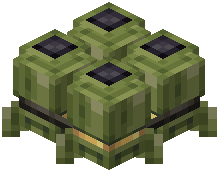 small bomb block facing your target direction—the nose indicates where it will fall. Use a wrench to rotate it if needed. For single drops, send a redstone signal directly to the bomb.
To create a multi-bomb cassette, right-click a placed small bomb while holding additional small bombs in your hand. This bundles them together and drops them in timed sequence when powered.
For organized bombing runs, place small-bomb cassettes on platforms and connect them to redstone. Each cassette releases its payload automatically under power.
Remember: placed explosives won't break by hand and require fire, hard impacts, or nearby blasts to detonate. Mines have an arming delay after placement, so you won't accidentally trigger your own traps.