
Set Up Your First Computer Workstation
Gather and Craft Your Computer
Collect the five core computer components:  Circuit Board,
  CPU Chip,
  Memory Module,
  Power Cell, and
  Display Module. These can be found in world structures or crafted from raw materials. Combine all five parts on a crafting table to create the
 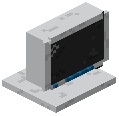 Aero Computer block.
Place and Power Your Setup
Place the Aero Computer on a solid surface or an Aero Table. Right-click the monitor to boot up AeroOS and access the desktop. The computer will display a taskbar, clock, and Start Menu once powered.
Expand with Router and Printer
Place a Router block nearby to enable web browsing through the Internet app—you'll gain access to the wiki, live map, and in-game websites. Add a Printer block to print custom drawings created in the Paint app and display them in wall frames around your base.
Your workstation is now ready for work and entertainment. Experiment with the built-in apps to discover what each one offers.