
Create and Display Custom Artwork
Open the Paint Application
Right-click your 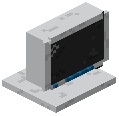 Aero Computer and select the Paint app from the desktop. A simple drawing interface will open with basic tools for creating pixel art and designs.
Draw Your Picture
Use the available brushes and colors to create your custom artwork. Paint supports multi-layer designs and various drawing tools. Take your time to design something unique for your base.
Print and Frame Your Art
Once satisfied with your creation, save it within the Paint app. Ensure a Printer block is placed and powered near your computer setup. Print your artwork, which will produce a printable item.
Display in Your Base
Place wall frames around your base and insert the printed artwork into them. Your custom paintings will now display as decorative blocks, adding a personal touch to your tech-themed builds. Create multiple artworks to decorate different areas of your workstation.