
Animal Pens Wiki › Guides › Create and Set Up Your First Animal Pen
Create and Set Up Your First Animal Pen
Crafting the Pen Block
Start by gathering the materials needed to craft an 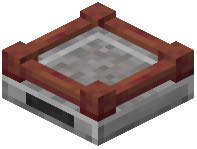 Animal Pen block. Check your crafting recipe guide for the exact ingredients. Once crafted, place the pen block in your world—it will appear as a compact container.
Adding Animals
Approach the pen and interact with it to open its interface. You can now add animals by holding them and placing them inside. The pen will display the animal type and quantity stored. Animals take up minimal space regardless of how many you store, making this ideal for large-scale farms.
Basic Settings
Access the pen's settings menu to configure:
- Display options: Choose how the pen visually represents stored animals
- Animal count: Monitor how many animals are currently stored
- Variant selection: If storing animals with variants (like different colored sheep), you can organize by type
Once set up, your pen is ready for breeding, milking, shearing, and other interactions. You can access these functions directly through the pen's interface without releasing the animals into the world.